
How to Search Solano County Court Records
The main tool for case lookups is the Solano Superior Court Public Portal. The portal lets the public search case data and gives parties on a case an enhanced view of their own files from the court's case management system. Most searches need a free account. The portal sits alongside the broader set of court online services, which include clerk appointments, citation pay, tentative rulings, and the court calendar. Confidential cases and confidential documents do not display on the public portal, no matter how the search is built.
Before starting, gather a case number if possible. If you only have a name, you will need at least two letters for the last name, first name, or company name fields. The portal will not run a one-letter wildcard. Filing date ranges help narrow common names. Have an email address and a phone number ready for the account form.
The image below comes from the portal home page, which is the entry point for case search and account creation.
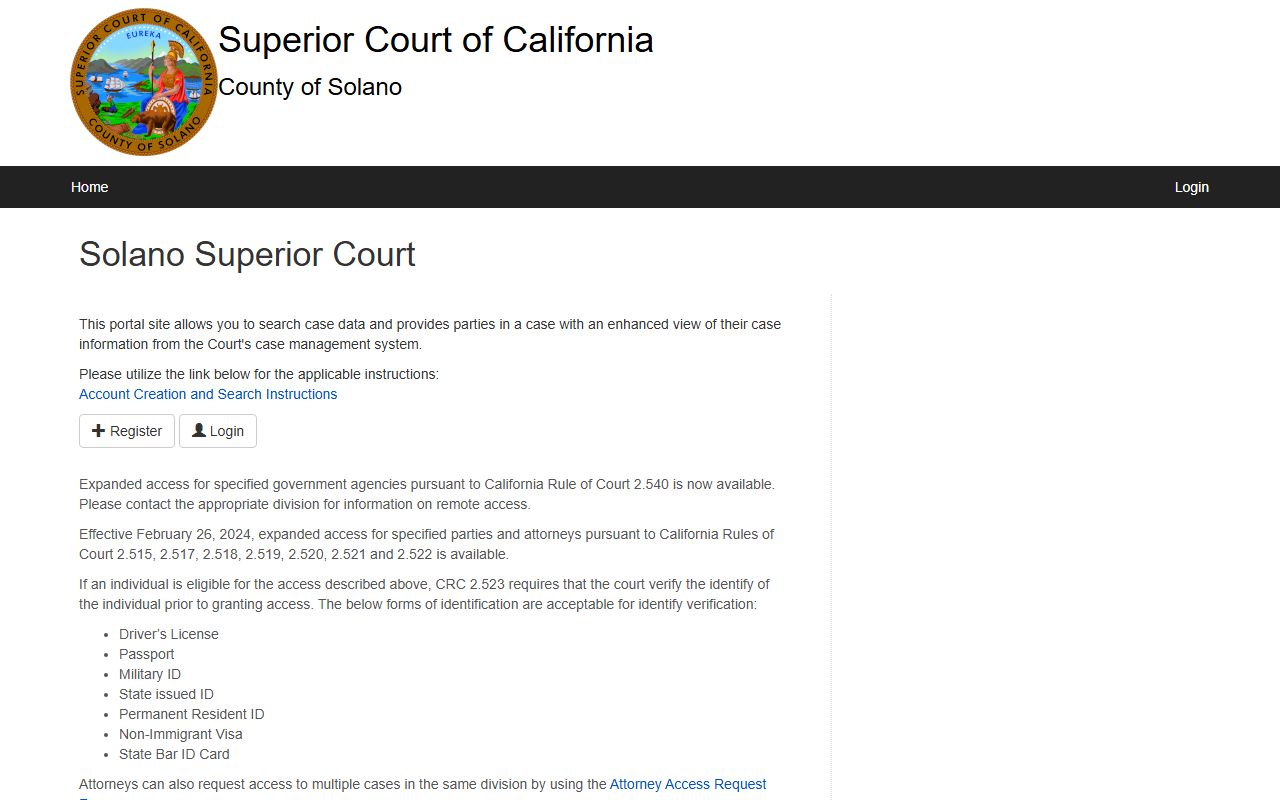
The portal handles civil, family, probate, criminal, and small claims case data. It does not show juvenile files, sealed cases, or confidential marriage cases.
- Go to the portal home page at portal.solano.courts.ca.gov.
- Click Register if you do not yet have an account.
- Fill in email, password, name, and phone. Red asterisk fields are required.
- Check the box to agree to the terms of use, then click Create New Account.
- After login the site sends you to the User Home Page. Click Case Search.
- Enter a case number for the most exact result, or use a last name with two or more letters.
- Use the filing date range to cut down long name lists.
- Click Search and review the result rows.
- For a certified copy, contact the right division. The portal warns that uncertified online records are not the official court file.
The Solano Superior Court Public Portal
The portal asks for a small set of fields. Some only matter at signup. Others run the live case search. The table below lists each field, what type it is, whether it is required, and the format notes pulled from the court's public portal instructions. Buttons are kept at the bottom because the labels matter when you follow a step list.
| Field Label | Type | Required | Notes / Format |
|---|---|---|---|
| Email Address | Text / Email | Yes (signup) | Used to verify the account and recover the password. |
| Password | Password | Yes (signup) | Set at registration. Required at every login. |
| Name | Text | Yes (signup) | Account holder name on the registration form. |
| Phone Number | Text / Phone | Yes (signup) | Contact number tied to the account. |
| Agreement to Terms of Use | Checkbox | Yes | Must be checked before the account is created. |
| Case Number | Text | Optional | The most precise way to pull one case. Use the exact prefix and digits. |
| Last Name | Text | Optional unless used | Needs at least two letters. |
| First Name | Text | Optional unless used | Needs at least two letters. |
| Company Name | Text | Optional unless used | Needs at least two letters; helps for business parties. |
| Filing Date From | Date | Optional | Start of a date range for filtering case lists. |
| Filing Date To | Date | Optional | End of the date range. |
| Buttons | Action | n/a | Register, Login, Create New Account, Case Search, Search. |
Parties and attorneys with eligible matters can apply for enhanced access under California Rules of Court 2.515 through 2.523, which the portal flags as available in Solano effective February 26, 2024. Identity must be verified with a driver license, passport, military ID, state-issued ID, Permanent Resident ID, Non-Immigrant Visa, or State Bar ID Card.
Types of Court Records in Solano County
Solano Superior Court is one unified trial court, but it runs many case types. Each type makes its own kind of file. Knowing which bucket your case fits helps when you pick a portal filter or call the right clerk window.
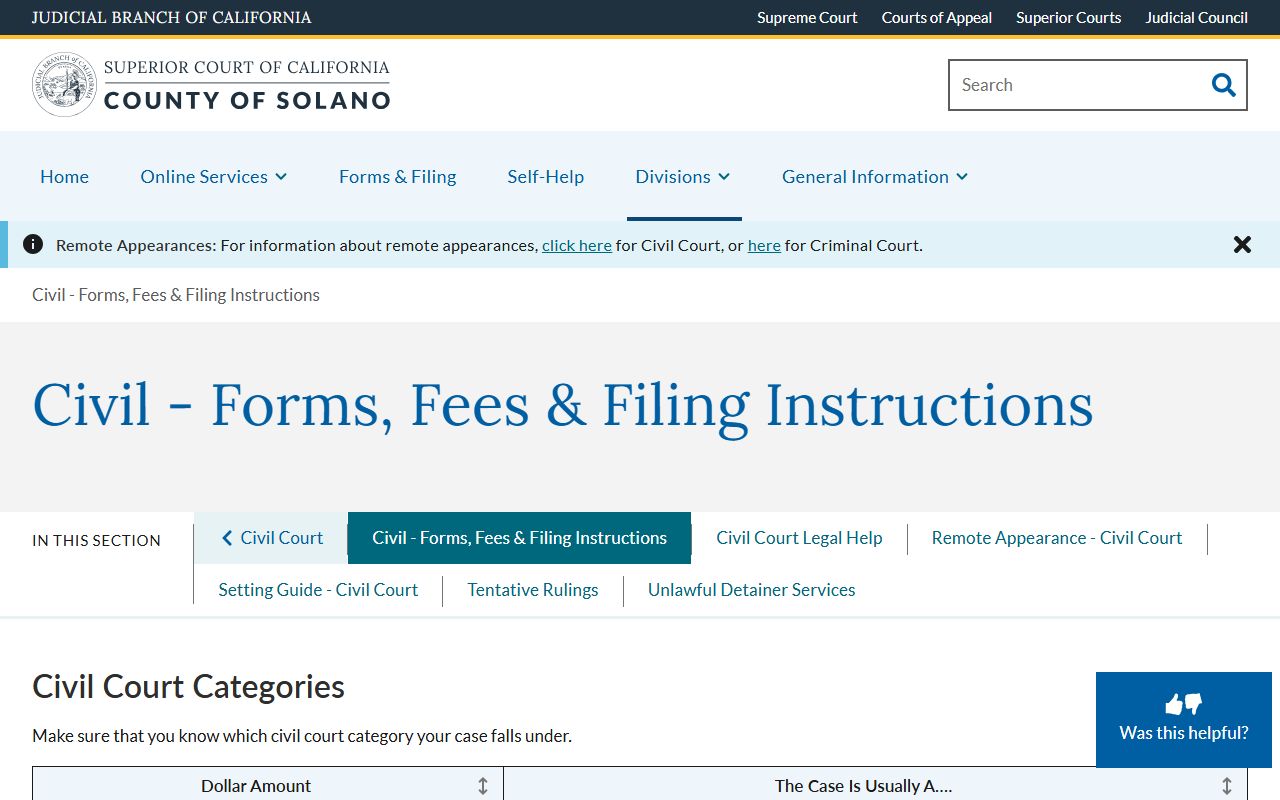
The civil filing page sets the money tiers that decide which civil track a case sits on. Small claims covers disputes under $12,500. Limited civil covers up to $35,000. Unlimited civil covers anything over $35,000. The image below shows that civil instructions page with the dollar thresholds and filing notes.
Below is the working list of record types kept by the court.
- Civil records: small claims, limited civil, unlimited civil, contract, injury, name change, and similar matters.
- Criminal records: complaints, informations, indictments, minute orders, plea forms, bail orders, warrants, and sentencing minutes.
- Family law records: dissolution, legal separation, parentage, child custody, support, and domestic violence files.
- Probate records: estates, wills, trusts, conservatorships, guardianships, and spousal property petitions.
- Traffic records: citations, traffic school, fines, and failure to appear or pay items.
- Juvenile records: WIC 602 delinquency and dependency files, kept confidential by statute.
- Unlawful detainer records: eviction filings with special masking rules under California law.
- Name change records: petitions, orders to show cause, and decrees often listed as In the Matter of cases.
What Information Appears in a Solano County Court Record
A typical Solano case file holds a mix of data, party detail, and event entries. The field set below is drawn from the public portal layout and the court calendar inspected on May 18, 2026. Each field is paired with what it shows so the column scan is fast.
| Field | What It Shows |
|---|---|
| Case Number | Local prefix plus year and sequence. Examples: CL24-05053 (limited civil), CU26-01692 (unlimited civil), F24-01630 (felony), FL25-02172 (family law), FS (DCSS support), M (misdemeanor). |
| Case Caption | Plaintiff v. defendant, petitioner v. respondent, People v. defendant, County of Solano DCSS v. party, or In the Matter of person/estate. |
| Filing Date | Date the case was opened. Used by the portal date range filter. |
| Case Type / Category | Civil, criminal, family, probate, traffic, small claims, unlawful detainer, juvenile (not public), or name change. |
| Status | Open, closed, disposed, or sealed. Exact dropdown labels vary by division. |
| Parties | Plaintiff, defendant, petitioner, respondent, decedent, personal representative, and attorney names where law allows. |
| Attorneys | Counsel name, party represented, and California bar number in detail views. |
| Docket / Minute Entries | Hearings, motions, orders, proofs of service, continuances, judgments, pleas, and arraignments listed in date order. |
| Hearing Details | Date, time, department (such as DPT 7 or DPT 11), and hearing type. Examples: OSC Hearing, Preliminary Examination, Motion Hearing, Trial Management Conference, Jury Trial. |
| Documents | Pleadings, motions, orders, and judgments where public. Certified copies must come from the clerk. |
| Financial | Filing fees, fines, bail amounts, restitution, copy and search charges, and fee waivers. |
| Redactions / Restrictions | Social Security numbers, account numbers, minor identifiers, sealed records, and juvenile/adoption files are hidden by rule. |
Calendar entries are a slimmer view of the same data. Pulling a calendar row gives the hearing date, case number, party name, department, and hearing type, but no documents and no judge column.
Public Access Laws for Solano County Court Records
California uses two parallel access systems. County and state agency records run under the California Public Records Act, now recodified at Government Code section 7920.000 and following. The CPRA traces back to a 1968 law and was renumbered effective January 1, 2023. Court case files follow a different mix of constitutional access, common law, statutes, and court rules. Both systems matter when a court record blends with sheriff, DA, or county clerk data.
For electronic court files, California Rule of Court 2.503 sets which case types can be searched remotely and which can only be viewed at a courthouse terminal. Rule 2.504 warns that an electronically available trial-court record is not the official record unless it is electronically certified. The portal repeats this notice on its login page. The catchall balancing test for executive-branch records sits at Government Code section 7922.000, which lets an agency withhold a record when the public interest in non-disclosure clearly outweighs the public interest in disclosure.
Note: An uncertified screen print or PDF download from the public portal is not the official court record. Ask the clerk for a certified copy when the use is legal, formal, or evidentiary.
Records That Are Restricted or Confidential
Several record groups are off-limits to ordinary public portal users. Juvenile case files are confidential under Welfare and Institutions Code section 827 and California Rule of Court 5.551. Access is limited to the minor, parents or guardians, attorneys, probation, child welfare, law enforcement, and others named by statute or court order. Adoption files are also confidential and need statutory authority or a judge's order to view. Mental health and LPS conservatorship files are restricted, and remote access to those proceedings is curtailed under state electronic-access rules.
Sealed records are handled under California Rule of Court 2.550 and the matching procedure rule 2.551. A judge must make findings before a record is sealed. Sealing can cover a single document or the full case. Confidential marriage licenses are restricted under Family Code section 511. The Solano County Clerk may confirm whether a confidential marriage record exists, but cannot release the date without a court order. A petition to view a sealed file is filed in the case of origin and usually requires notice to the parties and to any agency that asked for the seal.
Requesting Certified Copies
Certified copies are made by the clerk, not the portal. The court uses Local Form 4021, Request for Record Search and Copies, for both record searches and copy orders. Fill in all known case detail, file a separate request for each division (civil, family, probate, criminal), and pay assessed fees in advance. The form is a fillable PDF that can be printed and mailed or brought in.
The image below comes from the Criminal Records, Fees and Forms page, which lists local case prefixes and the hours when the clerk handles record search work.
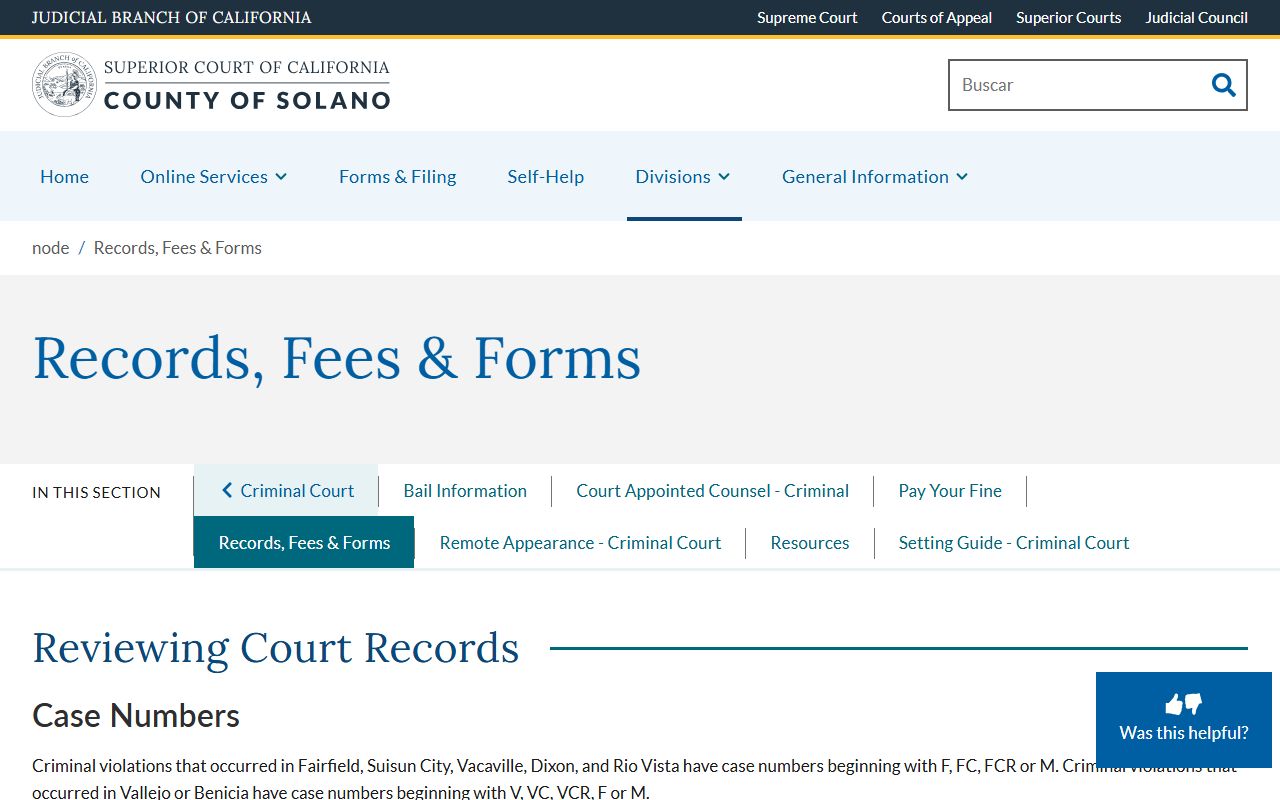
Record search hours run Monday through Friday from 8:00 AM to 3:00 PM, excluding court holidays. Records sit at the branch where the case was heard, so Fairfield-side cases (Fairfield, Suisun City, Vacaville, Dixon, Rio Vista) with prefixes F, FC, FCR, or M go to the Hall of Justice. Vallejo and Benicia cases with V, VC, or VCR prefixes go to the Solano Justice Building.
Electronic Access and E-Filing
The court has shifted to mandatory attorney electronic filing in many case types. Per the Solano e-filing page, attorney e-filing is required in civil, family, and probate cases effective January 2, 2025. Self-represented parties may e-file or use the drop box and front counter. Probate letters and bonds are also now available for electronic filing. The shift to e-filing has not changed Rule 2.503 limits on remote access. Even when a case is filed online, members of the public still see only what the rule and the local sealing orders allow.
Once a record is in the case management system, the portal pulls live data into the search view. The local rules page hosts the complete local rules effective July 1, 2025, which spell out filing format, signature lines, drop box hours, and exhibit handling. The local rules cover general, criminal, civil, family, juvenile, probate, appeals, unlawful detainer, guardianship, protective order, court reporter, remote appearance, and e-filing topics.
Court Calendar and Tentative Rulings
For day-to-day hearing lookups, the official court calendar is faster than the portal. The calendar takes a keyword (name or case number) and a hearing type filter, then returns hearing date, case number, party name, department, and hearing type. No login is needed on the public calendar page. Civil OSCs, criminal preliminary exams, family motions, and jury trials all appear. Department codes like DPT 5, DPT 7, DPT 11, and DPT 23 point to specific judges and rooms.
Tentative rulings post on the court website ahead of certain civil law and motion calendars. Probate notes and pre-grants post separately for most probate matters except guardianships and conservatorships. The court calendar pairs well with Solano County court dockets work and with Superior Court setting guides.
Fees and Office Hours
Court fees track Judicial Council and Solano local fee schedules. The chart below pulls the most common record-related charges from the court's criminal records and family law pages. Filing fees, motion fees, and certain certificate charges are not shown here; ask the clerk for the full schedule before mailing a check.
| Service | Fee | Notes |
|---|---|---|
| Plain (non-certified) copy | $0.50 per page | Family Law FAQ rate; mail orders should include envelope and postage. |
| Certified copy of a court record | $15 per copy by mail (divorce judgment example) | Make check or money order payable to Solano Superior Court. |
| Record search over 10 minutes | $15 | Listed on the Criminal Records, Fees and Forms page. |
| Mail check cap suggestion | Not to exceed $20 | Court recommends a small mail-order cap for non-certified copies. |
Clerk of the Superior Court
Hall of Justice, 600 Union Avenue
Fairfield, CA 94533
(707) 207-7373
Courthouse 8 AM-5 PM; Clerk drop-in 8-11:30 AM; Appointment 8 AM-3 PM
Vallejo Branch Clerk
Solano Justice Building, 321 Tuolumne Street
Vallejo, CA 94590
(707) 561-7800
Record search hours: Mon-Fri 8 AM-3 PM